Form question types and configuration
Explore all available question types for Dailybot forms and learn how to choose the right one for each field.
Choosing the right question type is one of the simplest ways to improve the quality of data your forms collect. Each type guides respondents toward the kind of answer you need, reduces ambiguity, and makes the resulting data easier to filter, export, and analyze. Dailybot forms support four question types, and this article walks through each one so you can design forms that are quick to answer and rich in useful information.
Selecting a question type
You pick the type when you create a new form or edit an existing one. To modify an existing form, go to the Forms section in the sidebar and click Configure form on the form you want to update. Each question has a type selector dropdown that lets you switch formats at any time before or between submissions.
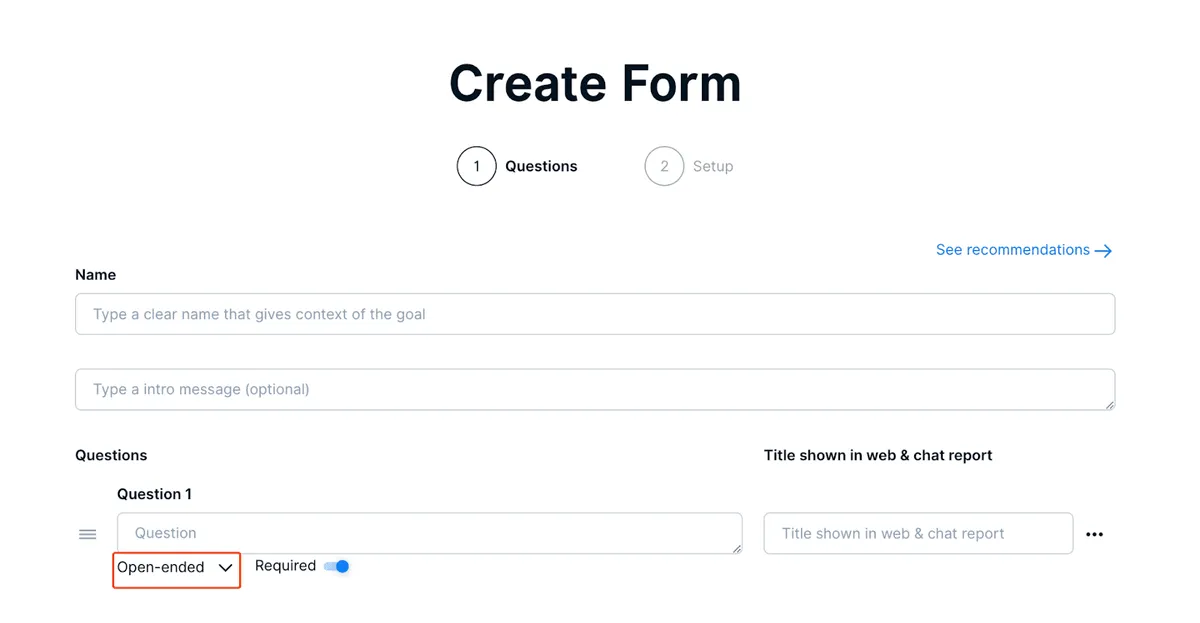
Changing a question type doesn’t delete previous responses, but keep in mind that mixing types mid-stream can make historical comparisons less straightforward. If you’re planning a major redesign, it’s often cleaner to create a new form version.
Open-ended questions
Open-ended questions accept free-text input with no restrictions on length or format. They give respondents full flexibility to explain, describe, or provide details in their own words. This type is the best choice when you can’t predict the answer in advance or when you want qualitative depth.
Typical use cases include project status narratives, feedback comments, incident descriptions, and any situation where a predefined set of options would feel too limiting. The tradeoff is that free-text answers require more effort to analyze at scale, so use open-ended questions selectively and pair them with structured types when possible.

Yes/No questions
Yes/No questions present a simple binary choice. By default the options are labeled Yes and No, but you can customize those labels to fit your context. For example, an approval workflow might use Approved and Rejected, while a completion tracker could use Done and Not done.
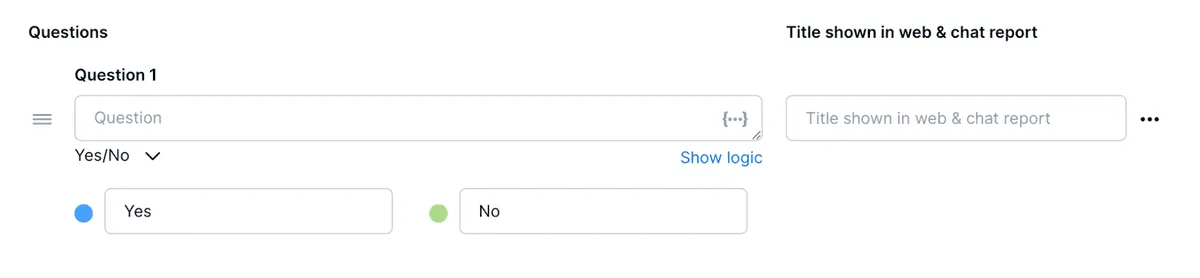
This type works well for confirmation steps, approval gates, and any decision with exactly two outcomes. Because the answers are binary, they produce clean data that’s easy to count and filter. Use them whenever the question naturally boils down to one of two states.
Multiple choice questions
Multiple choice questions let you define a set of predefined answer options for respondents to pick from. You can configure up to 25 different choices, making this type highly versatile for structured data collection.
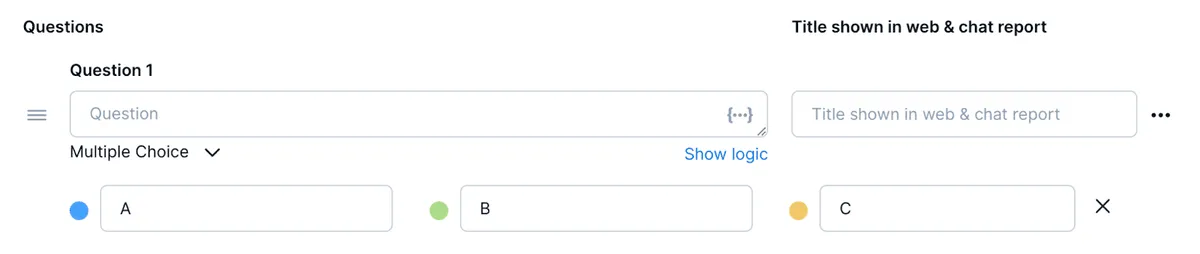
Good fits include priority levels (low, medium, high, critical), department selection, category tagging, and any scenario where you want consistent, comparable responses. Limiting the options also speeds up the answering process, since respondents select rather than type. Make sure your choices cover the realistic range and consider adding an “Other” option if edge cases are likely.
Numeric questions
Numeric questions restrict input to numbers only. If someone enters a non-numeric value, Dailybot rejects the input and re-prompts the question, so you always get clean numerical data without manual cleanup.

Use numeric questions for quantities, ratings, time estimates, budget amounts, headcounts, or any measurement that should be a number. The enforced format means you can confidently run calculations, averages, and comparisons across responses without worrying about stray text.
Choosing the right type for each question
A well-designed form mixes types based on what each question actually needs. Here’s a quick decision guide:
- Need flexibility and depth? Use open-ended for free-form responses.
- Simple binary decision? Use yes/no with custom labels if needed.
- Fixed set of options? Use multiple choice to keep answers consistent.
- Quantitative measurement? Use numeric to enforce clean numbers.
When in doubt, lean toward the more structured type. It’s easier to analyze 200 multiple-choice responses than 200 free-text paragraphs, and respondents appreciate the speed of selecting an option over composing a reply.
Matching each question to the right type is a small investment that pays off every time someone fills out your form. With Dailybot’s four question types, you can build forms that balance flexibility with structure, giving your team clean data and a smooth answering experience.
FAQ
- What question types are available in Dailybot forms?
- Open-ended (free text), Yes/No (binary choice with customizable labels), Multiple choice (up to 25 options), and Numeric (numbers only with auto-validation).
- Can I customize the labels on a Yes/No question?
- Yes. The default labels are Yes and No, but you can change them to alternatives like Approved/Rejected or Complete/Incomplete.
- How do I edit question types on an existing form?
- Go to the Forms section, click Configure form on the form you want to update, and use the type selector next to each question to change its format.