How to give kudos to a teammate
You will follow a clear path from choosing where to send kudos in chat or the dashboard to adding a message, picking a value, and sharing recognition your whole team can see.
Giving kudos takes seconds, and those seconds pay back in morale. When you name what someone did and why it mattered, you teach the whole team what good collaboration looks like in your environment. Dailybot keeps the flow short so you are not filling out a form just to say thank you.
This guide is written for the person giving recognition. If you are new to Dailybot, skim the commands once, then rely on muscle memory. If you are an admin setting up values first, read the team values article, then come back here.
Choose where you send kudos
Most people give kudos in chat because that is where work already happens. You can also use the Dailybot dashboard when your organization exposes that option, which can be handy if you are reviewing a thread and want to recognize someone without breaking flow in the main channel.
In shared channels, Dailybot usually needs to know you are talking to it. If your workspace requires it, start the command with @Dailybot so the message is routed correctly. In a direct message with Dailybot, you can often skip the mention and send the command on its own.
Commands you can use
Dailybot accepts a few patterns so you can pick what feels natural. These are the ones people use most often:
- kudos to @user sends recognition to a teammate
- kudos to @user for your message here adds context in the same line
- ++ @user is a shorthand when you want speed
- ++ @user for your message here combines shorthand with detail
Replace @user with the handle your chat platform expects. If something fails, check whether you are in a DM with Dailybot or a public channel, and whether your admin enabled kudos for that space.
Step by step from the giver’s perspective
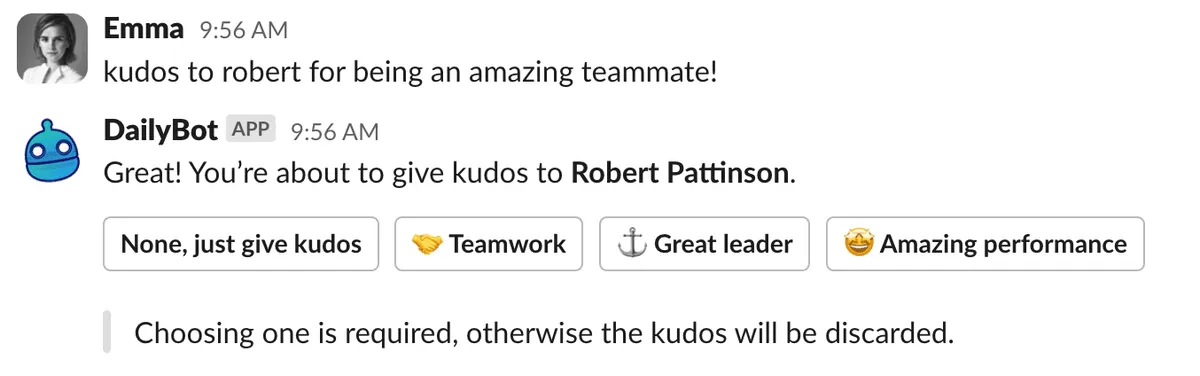
Once you know where you are posting, the flow is simple. Dailybot walks you through the parts that need a choice, such as which value best matches the behavior you saw.
Follow these steps when you are ready to send kudos:
- Type the command in chat or open the kudos action in the web app, depending on what your workspace uses.
- Add your message when prompted so the praise is specific. Mention the outcome, the help you received, or the quality you noticed.
- Pick a team value if your org configured values. Choose the one that best matches the behavior, not the fanciest label.
- Confirm so Dailybot posts the kudos and notifies the recipient. Others may see it in the team feed based on your settings.
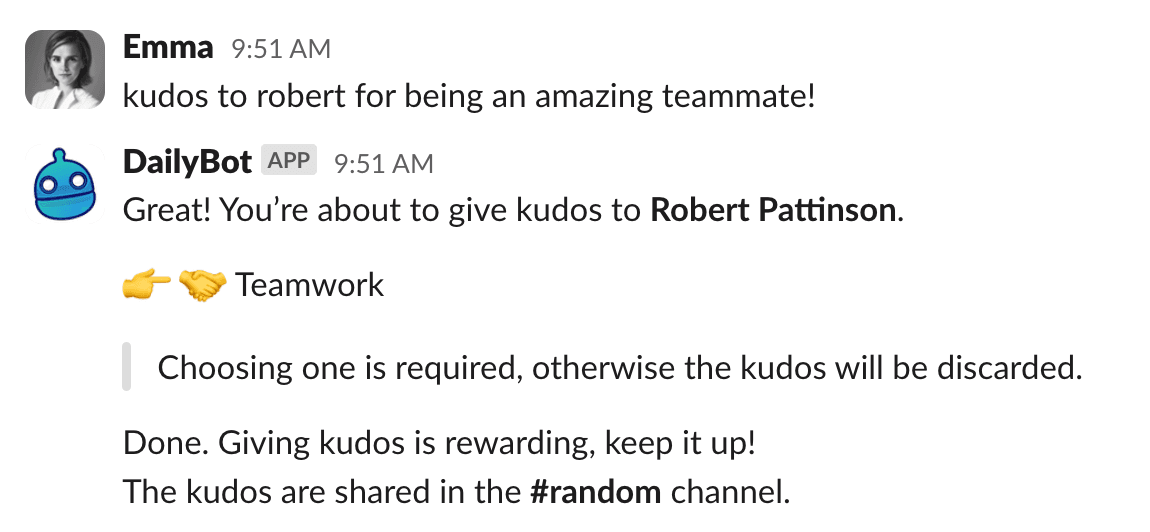
If Dailybot asks follow up questions, answer them in plain language. The goal is a clear story: who did something useful, what they did, and why it mattered.
Visibility and etiquette
Public recognition should feel supportive, not embarrassing. Avoid inside jokes that exclude most readers, backhanded compliments, or praise that reveals private information. If you are unsure, write the kudos as if the whole leadership team will read it tomorrow.
Timing matters. Sending kudos soon after the help makes the link obvious. Waiting a month still beats silence, but immediacy reinforces cause and effect. If you batch thanks on Fridays, say that openly so people know the pattern.
Tips for meaningful recognition
Meaningful kudos share a few traits. They name the behavior, connect it to impact, and match the scale of the contribution. They also leave room for others to learn from the example.
Keep these habits in mind:
- Be specific so people know what to repeat
- Be timely so the memory is fresh
- Match the value so culture language stays honest
- Keep it proportional so small wins get warm notes and huge wins get room to breathe
If you only send kudos upward, balance with peers and people who support you quietly. Recognition that flows in every direction builds a healthier team than praise that only climbs the ladder.
Dailybot makes giving kudos fast enough that you will actually do it. When recognition lives in the same place as work, you spend less time context switching and more time reinforcing the teamwork you want. Try one kudos today, pick a real detail from yesterday’s work, and watch how quickly the habit spreads.
FAQ
- Where can I give kudos?
- You can send kudos from your chat platform using Dailybot commands, and from the Dailybot web app when your workspace enables that path. The exact entry points depend on how your admin connected Dailybot to Slack, Microsoft Teams, Google Chat, or other supported clients.
- Do I always need to pick a team value?
- If your org configured team values, Dailybot will prompt you to choose one so the recognition maps to how you want people to behave. That step connects praise to culture instead of leaving it as a one off compliment.
- Will everyone see my kudos?
- Visibility follows your workspace settings. Often kudos post to a team channel or feed so others can celebrate too. If you are unsure, ask your admin which channel is wired for public recognition.